
Introduction
E-Commerce :Imagine buying something online, and later, your credit card details get stolen. Scary, right? This is why protecting customer data is super important for any eCommerce website.
Cybercriminals are always searching for ways to get access to your data. In fact, a single breach may lead to loss of finances, loss of trust, and even legal troubles in the eyes of the business world. No worries! Here are simple yet effective ways on how to secure your customer’s data in this blog. Imagine buying something online, and later, your credit card details get stolen. Scary, right? This is why protecting customer data is super important for any eCommerce website.

1. Why Data Protection is Important for eCommerce
With each purchase a customer makes, sensitive details about themselves are given such as:
- Name and address
- Credit card or bank information
- Login information
If this data is not secured, hackers can steal it and use it for fraud, identity theft, and scams. A secure website means happy customers and a strong brand!
2. Easy Ways to Secure Customer Data
a) Use Strong Passwords and Multi-Factor Authentication (MFA)
Hackers use brute-force attacks to guess weak passwords.
What you can do:
- Ask customers to create strong passwords (mix of letters, numbers, and symbols).
- Turn on Multi-Factor Authentication (MFA) for increased security.
- Implement CAPTCHAs to prevent bot logins.
Example: Amazon and PayPal are using MFA to avoid unwanted logins.
b) Safe Payment through Trusted Gateways
Without proper security measures, credit card frauds lead to loss of money.
How to secure your payments:
- Use trusted payment gateways like PayPal, Stripe, or Razorpay.
- Do not store any credit card details on your website.
- Enable SSL encryption (HTTPS) for secure transactions.
Example: Shopify ensures all transactions follow PCI-DSS security standards.
c) Encrypt Customer Data
Encryption makes stolen data useless to hackers.
How it helps:
- It protects login details, addresses, and payment information.
- It ensures that hackers cannot read the stolen data.
What you can do:
- Use SSL/TLS encryption for a secure website.
- Encrypt stored data (AES encryption is the best).
Example: Google encrypts all user data to keep it safe from cyber threats.
d) Keep Your Website Updated
Hackers love outdated software because it has security holes.
What to do:
- Regularly update your website platform (WordPress, Shopify, Magento).
- Install security patches as soon as they’re available.
- Perform security scans to check for vulnerabilities.
Example: Magento releases security updates to fix known risks.
e) Educate Your Customers and Team
One human error is enough to make data leak!
How to avoid mistakes:
- Teach employees to spot phishing emails and fraud attempts.
- Show customers how to create strong passwords.
- Display trust badges (SSL secured, verified payments) to build trust.
Example: Amazon alerts users if their login looks suspicious.
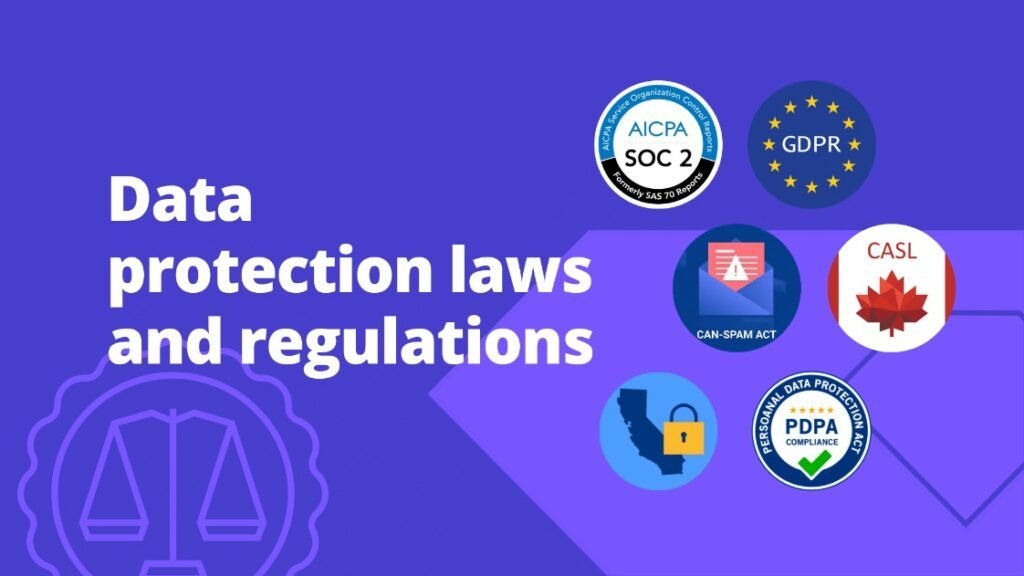
3. Follow Data Protection Laws
Protecting customer data isn’t just important—it’s required by law.
Important Laws:
- GDPR (Europe) – Gives customers control over their data.https://gdpr.eu/
- CCPA (California) – Protects personal information of users.https://oag.ca.gov/privacy/ccpa
- PCI-DSS – Ensures safe credit card transactions.https://www.pcisecuritystandards.org/
How to comply:
- Let users control their data—opt-in/opt-out.
- Have a clear privacy policy visible on your site.
- Audit your data for security regularly.
Example: Shopify allows requests for erasure of users’ data under GDPR.
Conclusion
It doesn’t have to be confusing securing customers’ data. Follow these steps:
- Use a stronger password with multi-factor authentication.
- Secure your payment with great gateways.
- Encrypt all sensitive data.
- Keep your software updated.
- Educate employees and customers.
- Use Strong Authentication – Enable multi-factor authentication (MFA) and use unique, strong passwords.
- Secure Payments – Use trusted payment gateways and ensure SSL encryption (HTTPS) for transactions.
- Protect Sensitive Data – Encrypt data, limit access, and follow security compliance standards.
- Keep Software Updated – Regularly update operating systems, applications, and security patches.
- Educate & Train Users – Teach employees and customers to recognize phishing attacks and online threats.
- Secure Networks & Devices – Use firewalls, VPNs, and strong Wi-Fi encryption for protection.
- Backup Important Data – Maintain encrypted backups to recover from cyber incidents.